PaperShip
PaperShip icon

Read and annotate your papers.

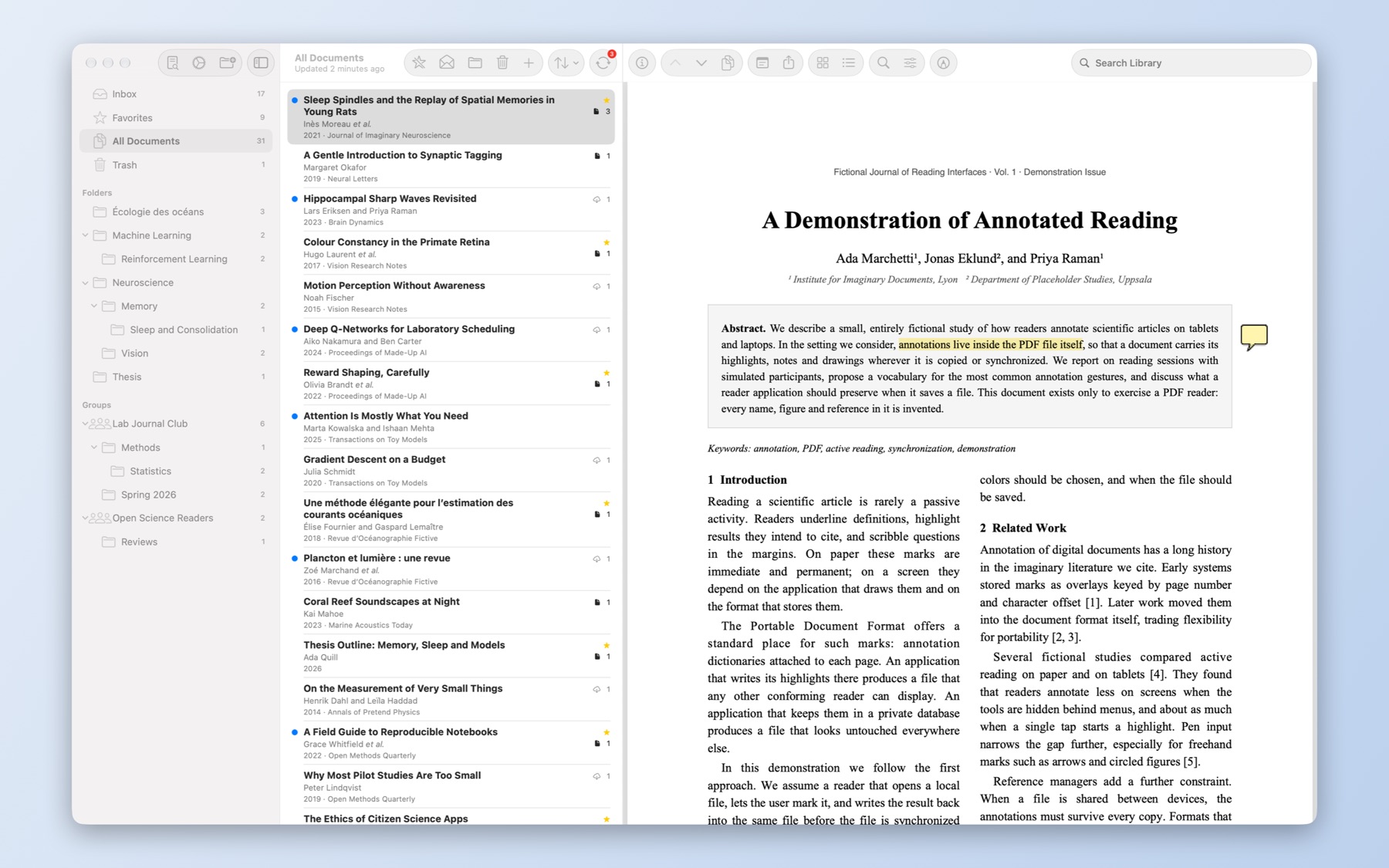
PaperShip is the reader for the scientific papers in your Mendeley or Zotero library, on iPhone, iPad and Mac. Read, annotate and organize your articles wherever you are: every change goes back to your reference manager.

Download on the App Store

Free on iPhone, iPad and Mac. Requires iOS 27, iPadOS 27 or macOS 27, and a Mendeley or Zotero account.

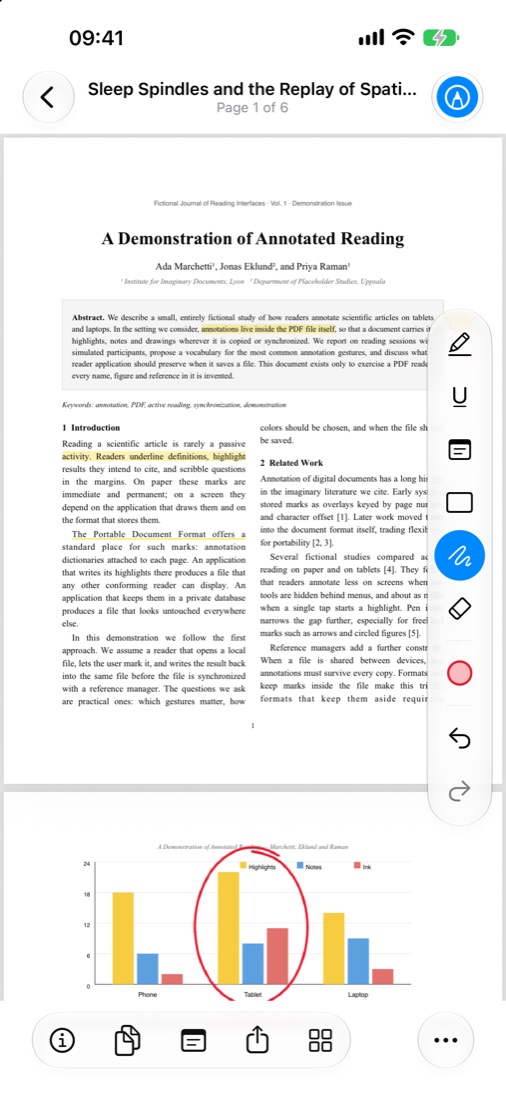
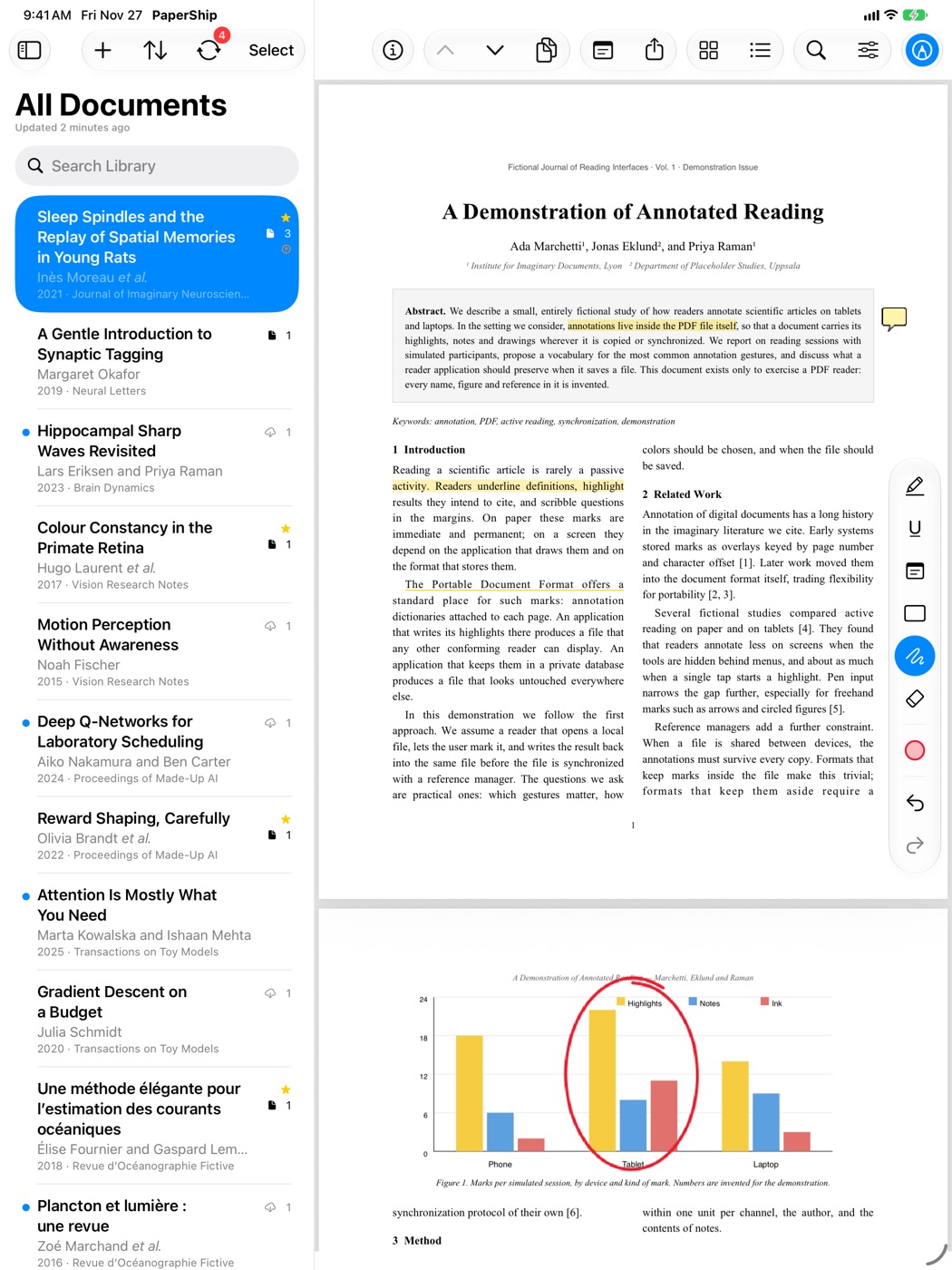
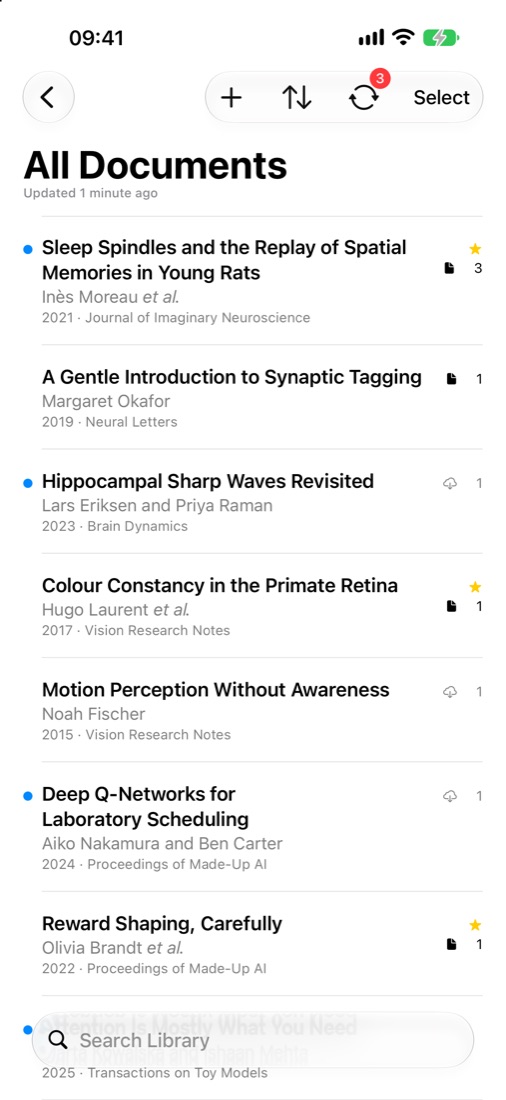
The PaperShip library on the Mac: folders and groups, the list of papers and an open article An annotated article in the PaperShip reader on iPad The list of papers on iPhone

Sync with Mendeley or Zotero

  • Sign in to your Mendeley or Zotero account: your references, folders, groups, notes and files are synced.
  • Zotero files stored on zotero.org or on your own WebDAV server.
  • Read offline: downloaded papers stay on your device.
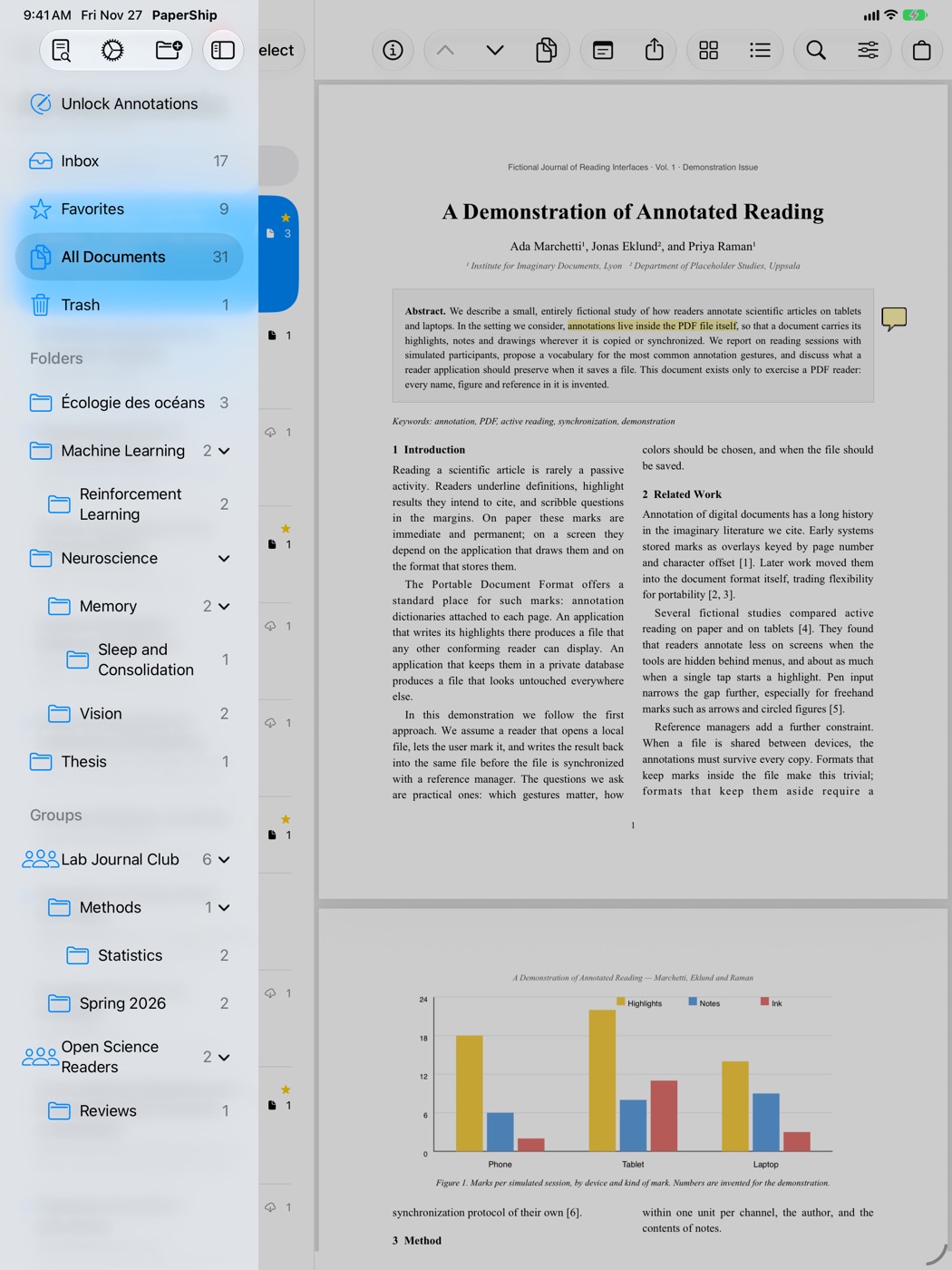
Folders and groups of a Mendeley library in the PaperShip sidebar on iPad

Read and annotate

  • A fast PDF reader that remembers where you stopped, with search in the text.
  • Highlight and underline text, add notes, draw freehand or shapes, in the color of your choice.
  • Annotations are saved in the PDF itself, following the PDF standard: they show in Mendeley, Zotero, Preview and any other PDF reader, and they are synced with your library.
  • Zotero web snapshots and other attachments open too.
An annotated article in the PaperShip reader on iPhone

Organize your library

  • Inbox, Favorites, folders and groups, with search and sort.
  • Mark papers as read, move them between folders, drag and drop.
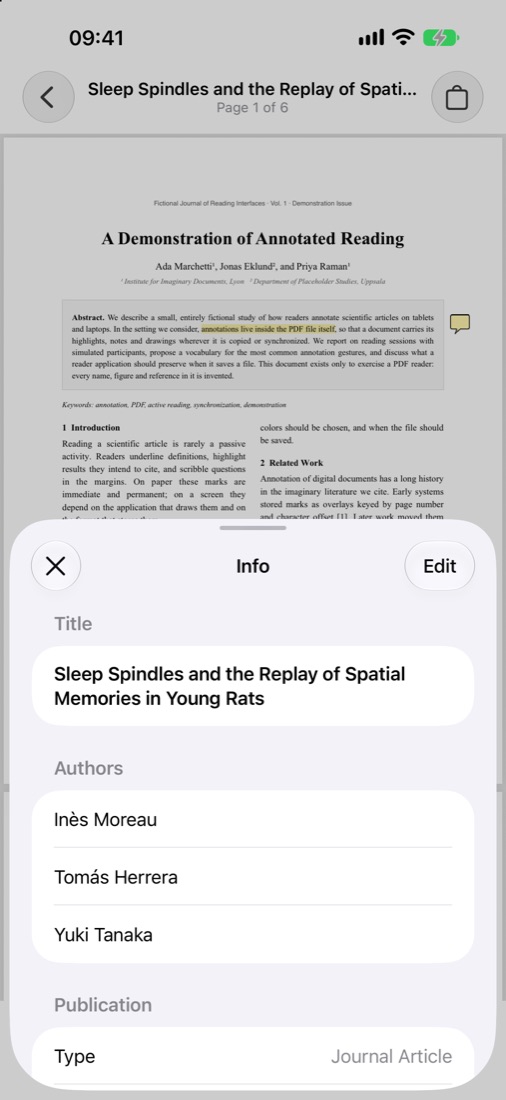
  • Edit references, fill them in from CrossRef with a DOI, and see Altmetric attention scores.
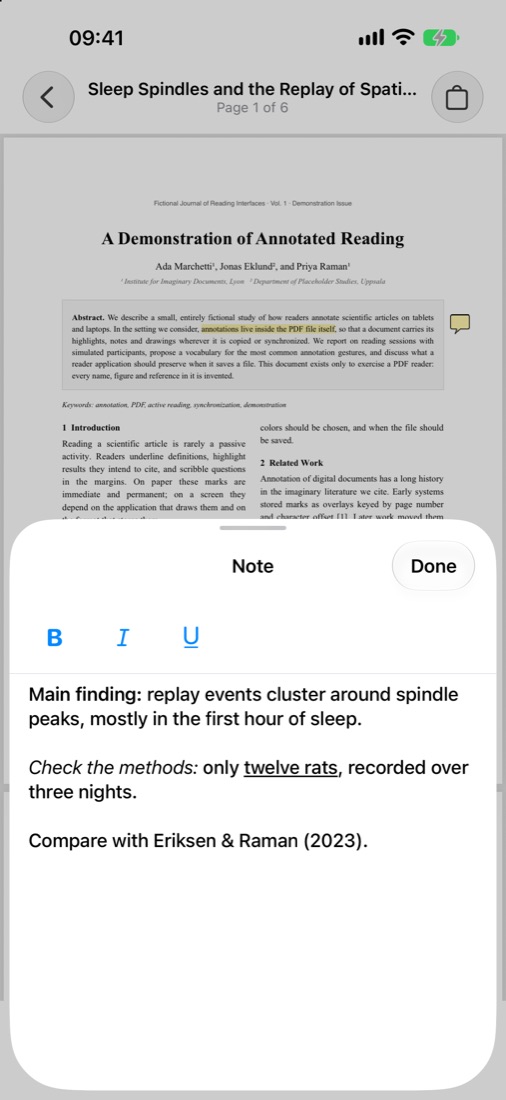
  • Keep a note with each paper.
  • Import PDFs from other apps or from Files, or search the Mendeley catalog.
  • Find your papers in Spotlight, and share a reference and its PDF with your colleagues.
The Info inspector of a paper on iPhone The note of a paper on iPhone

On the Mac

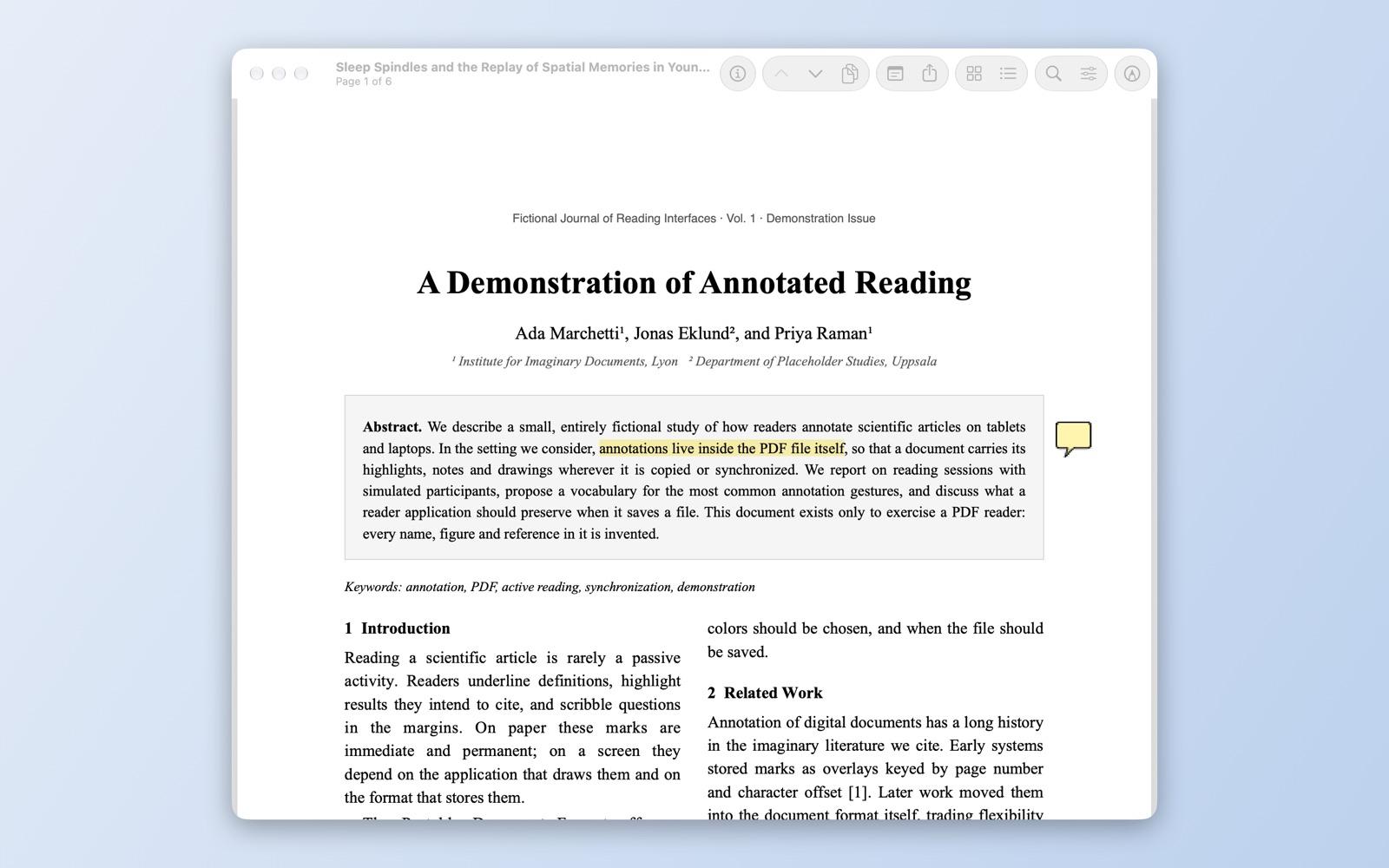
  • A native Mac app, with menus, keyboard shortcuts and a window for each document.
  • Open a PDF in another app with Open With: PaperShip notices the changes and syncs them.
  • Drag papers to the Finder.
A document window of PaperShip on the Mac

Private by design

No PaperShip account, no analytics, no ads. PaperShip talks directly to Mendeley or Zotero, and shazino receives none of your data. Read the privacy policy.

Annotation Pack

Reading, organizing and syncing your library are free. Annotation tools are unlocked by the Annotation Pack, a one-time in-app purchase that works on iPhone, iPad and Mac. Try every tool on a demo article before you buy.

Already using PaperShip?

PaperShip 3 for iPhone and iPad

Your library, files and annotations are kept, and so is your purchase (tap Restore Purchases in the Store if needed). Mendeley users sign in to Mendeley once more after the update; Zotero users have nothing to do. Learn more

PaperShip for Mac 1.7.4

PaperShip is now one app for Mac, iPhone and iPad. Sync one last time in PaperShip 1.7.4, then get the new PaperShip on the Mac App Store and sign in: your library comes back. How to switch

Download on the App Store

Questions or suggestions? Read the support page or write to support@papershipapp.com.